Team not getting the memo?
Just email Lumbergh.
Lumbergh is an AI assistant that you email or CC to any thread. He reads all messages and attachments, and helps keep your group on track.

Experimental Autopilot Mode: If you enable experimental beta features (see below), Lumbergh can also delegate work to team members, proactively send reminders, schedule future follow-ups, update stakeholders, and chase down responses from the group on autopilot.
How it works
Just add Lumbergh to any email thread, and ask for help when things get messy.
Start a project by email
Email any address at lumbergh.io. The name before the @ becomes your dedicated private project name. For example:
- vendorPick@lumbergh.io - choosing a vendor
- kitchenReno@lumbergh.io - planning a renovation
- teamStandup@lumbergh.io - tracking meetings
- marketingPlan@lumbergh.io - coordinating a campaign
- bugTracker@lumbergh.io - solving a bug
Once you email (or CC) a Lumbergh address, it becomes yours. Only you and those you CC in communications to Lumbergh can use that Lumbergh instance.
Each address on lumbergh.io has its own isolated environment, containing that email thread's messages, attachments, and settings.
You can email a different Lumbergh to create a dedicated space for each project, or CC the same Lumbergh on many different threads.
Keep Lumbergh on the thread
Email your instance of Lumbergh any time. He has the context from any message he's been CC'd to, and can help with all kinds of questions, like:
- Did Mikasa finally get that coffee machine ordered?
- Does Onyankopon still need to review the budget?
- Draft the reply to Jean's passive aggressive message.
- How to respond to Hange's note about casual Fridays?
- Make an interactive chart based on Erwin's spreadsheet.
You can also CC teammates to bring them into the project without asking everyone to join a new app.
By default, when anybody other than you emails your Lumbergh instance, Lumbergh just listens — that email is just added to Lumbergh's memory. Lumbergh will only respond to requests that come directly from you — unless you enable experimental autopilot features (explained below).
What Lumbergh does
Keep the conversation in email. Use Lumbergh to stay on top of it.

Works via email
No app to download. No login to remember. If you can send an email, you can use Lumbergh.

Remembers the whole thread
Lumbergh reads every reply so you can ask for summaries, status, drafts, and next steps without restating everything.

Answers status questions
Ask what changed, what is blocked, what is still open, or what needs a reply next.
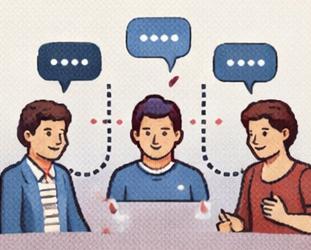
Drafts useful replies
Use Lumbergh to turn messy context into a clean reply, recap, or decision memo from inside the thread.
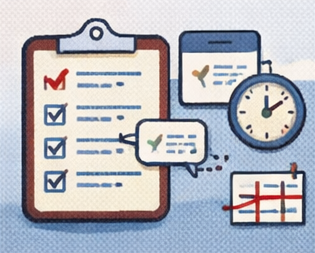
Tracks tasks and open questions
Pulls out action items and unresolved issues so the thread is easier to run.

Creates documents & reports
Comparison matrices, summaries, postmortems, checklists. Generated and emailed to you.
What people use Lumbergh for
Any time an email thread has too much context and not enough clarity, add Lumbergh.

Pick a vendor
Drop Lumbergh into the thread, collect the requirements already in email, and turn the mess into a comparison matrix and decision summary.

Plan a group trip
Keep one thread for dates, budget, and options, then ask Lumbergh for the clean summary and next steps.

Run async standups
Use the thread as the source of truth and have Lumbergh compile the digest for the team.

Throw a party
Collect RSVPs, coordinate who's bringing what (no duplicate guac), and send a day-of logistics email.

Review a document
Keep the review in email, spot contradictions, and ask Lumbergh for one summary of the thread.

Coordinate family care
Keep the schedule for doctor visits, prescriptions, and paperwork across siblings. No need to play project manager.

Manage a renovation
Keep vendor emails in one place, track open decisions, and use Lumbergh for summaries, checklists, and replies.

Run a rec league
Collect weekly availability, build the schedule, handle reschedules, track scores, and send the slate.

Onboard a new hire
Run the onboarding thread through email and let Lumbergh keep the checklist and draft updates.
Simple pricing
A low monthly fee plus the AI you actually use. No surprises.
+ $0.05 per 1K
Pay only for what you use
- ✓Unlimited projects and team members
- ✓Pay only for the AI tokens you actually use
- ✓Set spending limits and auto top-up
- ✓Per-member spending caps for teams
AI tokens are the units used to measure AI processing. Every email you send uses tokens for reading, reasoning, and responding. With token-based pricing, you only pay for what you actually use.
Cool & experimental features
Beyond the core workflow, Lumbergh has some powerful tricks you can unlock by adding a +flag to the project email address. These range from stable power-user tools to experimental coordination features.
Delegated coordination
Lumbergh can actively email individual team members with tailored asks, reminders, and follow-ups — so you don't have to chase people yourself. He collects what's needed from each person and reports back to you.
How to opt in: CC the people you want Lumbergh to contact and send your message to project+receive@lumbergh.io. This grants those members the ability to receive emails from Lumbergh directly. Then just tell him what you need from each person.
Member-triggered workflows
By default only the project owner can trigger work. But you can open it up so team members can email the project directly to ask Lumbergh questions, submit updates, or kick off tasks — without going through you.
How to opt in: CC the members you want to enable and send your message to project+trigger@lumbergh.io. Those members can then email the project address and Lumbergh will process their messages.
Proactive project management
Instead of only responding when asked, Lumbergh can proactively keep an eye on what is stuck, send check-ins, and push the thread forward. Think of it as having an active PM on the thread instead of a passive assistant.
How to use: Just tell Lumbergh in the thread. Say something like “follow up with everyone on Friday if they haven't responded” or “check in on this every week.” Combine with +receive to let him reach out to members directly.
Task and schedule automation
Set up recurring check-ins, deadline reminders, and automated task chasing. Lumbergh tracks what's due and nags the right people at the right time.
How to use: Tell Lumbergh what cadence you want: “send a status digest every Monday morning” or “remind Jake about the permit if he hasn't replied by Thursday.” Pair with +receive and +trigger for full team automation.
Message flags (the + trick)
Add a + after the project name in the email address to set a flag on that message. For example, send to kitchenReno+ephemeral@lumbergh.io to make a message ephemeral.
+ephemeral
Your message is read once and then removed from the project history. Great for one-off instructions like “send everyone a reminder about tomorrow” that don't need to stick around.
+private
Your message stays hidden from other team members. Lumbergh can still read and act on it, but it won't show up when he processes messages from other people. Good for behind-the-scenes instructions.
+quiet
Lumbergh processes your message but doesn't send any outbound emails. Useful when you want to update context or the task list without triggering messages to the team.
+urgent
Skips the normal batching delay and processes your message immediately. By default, Lumbergh waits a few minutes to batch incoming messages together in case more are coming.
+receive (experimental)
Enables Lumbergh to email the CC'd members directly as active participants. This is what powers delegated coordination.
+trigger (experimental)
Lets CC'd members email the project to trigger work on their own. This is what powers member-triggered workflows.
All flags are owner-only and silently ignored if a regular member uses them. Flags marked experimental opt your project into newer coordination features that may have rough edges.
The fine print
A few practical boundaries are worth knowing before you use Lumbergh in real work.
AI can make mistakes
Lumbergh is powered by Anthropic's Claude large language model. It can misinterpret instructions, generate inaccurate summaries, assign tasks incorrectly, or sound confident while being wrong. Always review AI output before acting on it. Lumbergh is not a substitute for professional advice of any kind — legal, medical, financial, or otherwise.
Use the right tool for the job
Lumbergh is great for group coordination, but don't rely on it for time-critical or safety-critical tasks. Emails can be delayed and AI can miss things. Lumbergh works over regular email, which (like all email) passes through multiple servers and isn't private in the way a direct message might be. Don't use it for information that requires secure, confidential delivery. Important decisions should still be made by people.
Anything you send Lumbergh may become visible to other members in the thread
When you email Lumbergh, the AI may choose to share what you wrote or attached — including quotes and summaries — with other members of the project. Don't send Lumbergh anything you wouldn't want the whole group to see:
- Salary, compensation, or financial details
- Passwords, API keys, or credentials
- Medical, legal, or personal information
- Private opinions about other project members
Questions for a human? Email support@lumbergh.io